HighLevel Bulk Actions – Campaigns and Workflows


Key Takeaways
- Using HighLevel’s Bulk Actions features in your Contacts/Smart Lists section, you can perform multiple one-off actions to selected or all contacts.
- Here’s how to add contacts to a campaign using the bulk action feature within HighLevel:.
Using HighLevel’s Bulk Actions features in your Contacts/Smart Lists section, you can perform multiple one-off actions to selected or all contacts. Here’s how to add contacts to a campaign using the bulk action feature within HighLevel:
Step 1: Choose Your Contacts from HighLevel
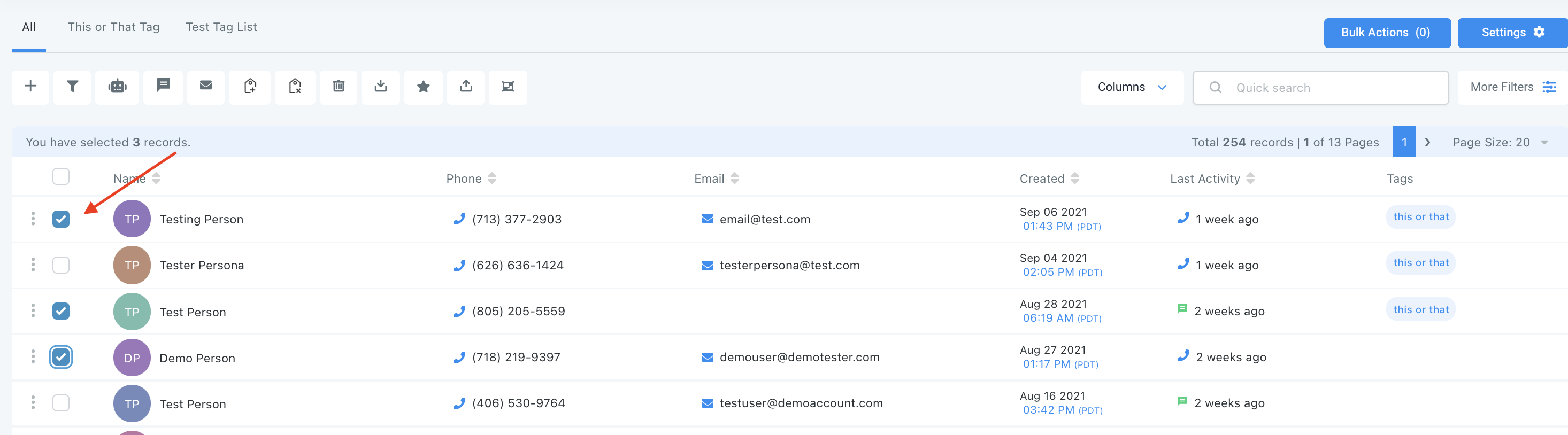
- Navigate to your contacts.
- Check the box to select contact records.
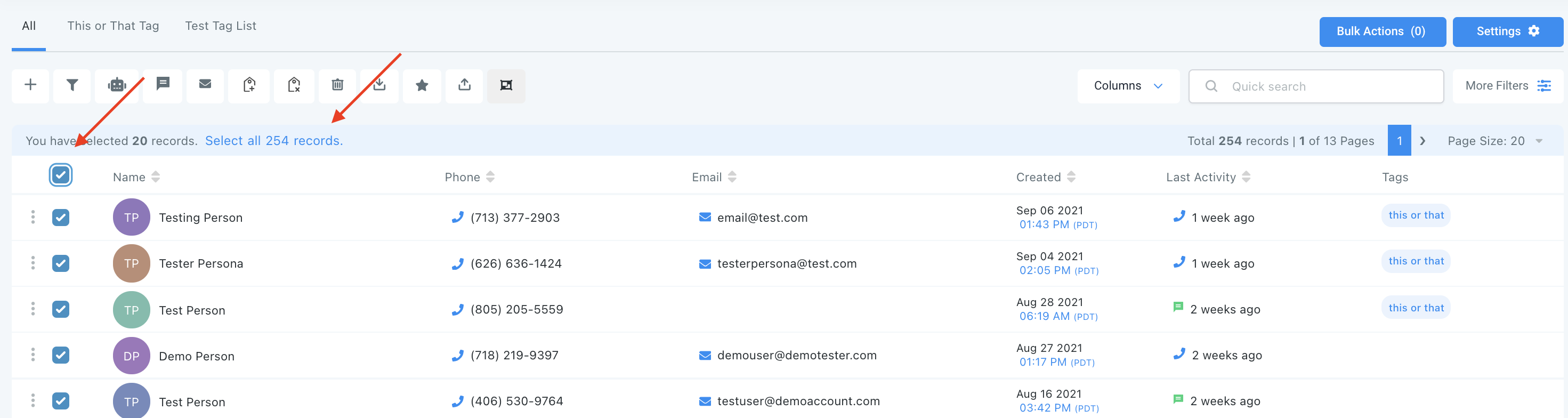
- You can also check the box at the top to select all on that page, and you can click the hyperlink to select all contacts in your system.
Tired of Being the Admin, the Marketer, and the Closer?
You didn't start your business to spend hours building funnels, managing calendars, and chasing follow-ups inside HighLevel. What if someone else handled all of that for you?
Our HighLevel-trained virtual assistants know the platform inside and out — workflows, pipelines, social scheduling, reporting — so you can focus on closing deals and growing your business. Starting at only $164 per week.

Step 2: Choose Your Action
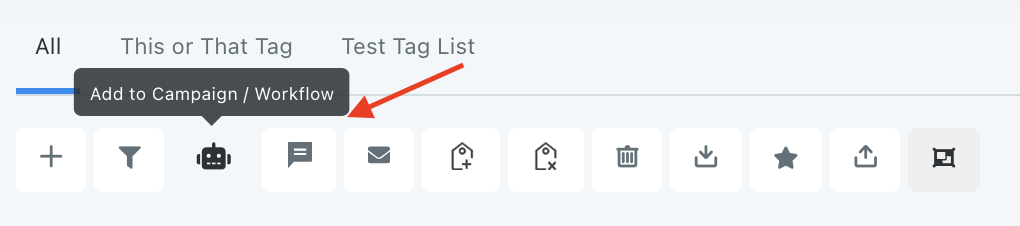
- Choose the icon for “Campaigns”.
- In the pop-up window that appears, select a campaign from the dropdown list.
- Then choose the scheduling for this action. You can choose “add all at once” to process the action immediately, “add all at scheduled time” to process the action at one time in the future, or “add in drip mode” to process in groups/batches.
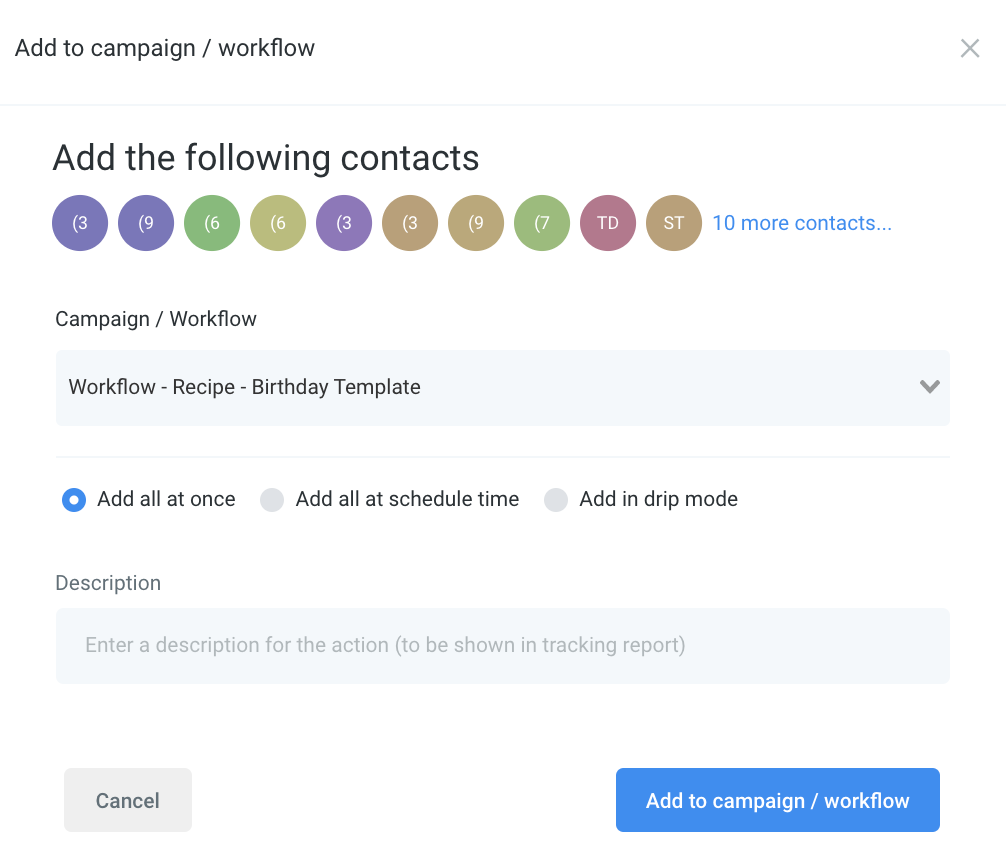
NOTE: When scheduling a bulk action in drip mode, the “repeat after” does not repeat the entire process. Instead, it can be viewed as “run every”. As shown in the example below, 100 contacts would be processed per every 5 hours. This process would repeat until all selected contacts received the drip communication. (If you had 780 contacts selected, there would be a total of 8 batches – 7 x 100 and 1 x 80).

The Complete Operator's Playbook
Weekly strategies from top-performing agencies
Join 5,000+ operators who get weekly tutorials, templates, and strategies that are actually working right now.
Matt @ HLPT
Founder, HL Pro Tools
Matt and his team of 250+ are known for making it easy to win with GoHighLevel. They bundle tools, trainings and team time for a complete solution. You can use them for all your HighLevel needs from white label support to done-for-you fractional marketing services.
Related Articles
HighLevel Step-by-Step Tutorial: Customizable HighLevel Calendar Notifications
Nothing is more frustrating than getting bombarded with notifications you don’t need. When I check my notifications, I want to see only the
Matt @ HLPTHow To Create HighLevel Failed Payment Automation
If you’re trying to setup an automation from Stripe to GoHighLevel, you’re in the right place! There are a number of ways that this can be d
Matt @ HLPTUsing the History Tab in Workflows within HighLevel
Here’s how to view and understand the History of your Workflows within HighLevel. Navigate to the History tab within the Workflow Builder. U
Matt @ HLPT