How To Enable or Disable the “Allow Multiple” feature in HighLevel Campaigns


Key Takeaways
- The “Allow Multiple” feature ensures that a lead or contact either can or cannot enter the same campaign multiple times.
- This setting can be turned on or off within each campaign individually.
The “Allow Multiple” feature ensures that a lead or contact either can or cannot enter the same campaign multiple times. This setting can be turned on or off within each campaign individually.
This is useful for many campaign situations. Sometimes, you may want a lead/contact to be able to go through the same campaign multiple times (such as if they cancel and reschedule an appointment, and need to go back through an appointment confirmation sequence.) In this case, you’d want the “Allow Multiple” feature to be turned ON. There may be other times you don’t want a lead/contact to go through the same campaign multiple times, and in these instances, you’d want the setting turned OFF.
Follow the steps below to learn how to simply toggle on or off the “Allow Multiple” setting in a campaign to allow or prevent someone from entering the same campaign more than one time.
Step 1: Click into the campaign that you wish to edit.
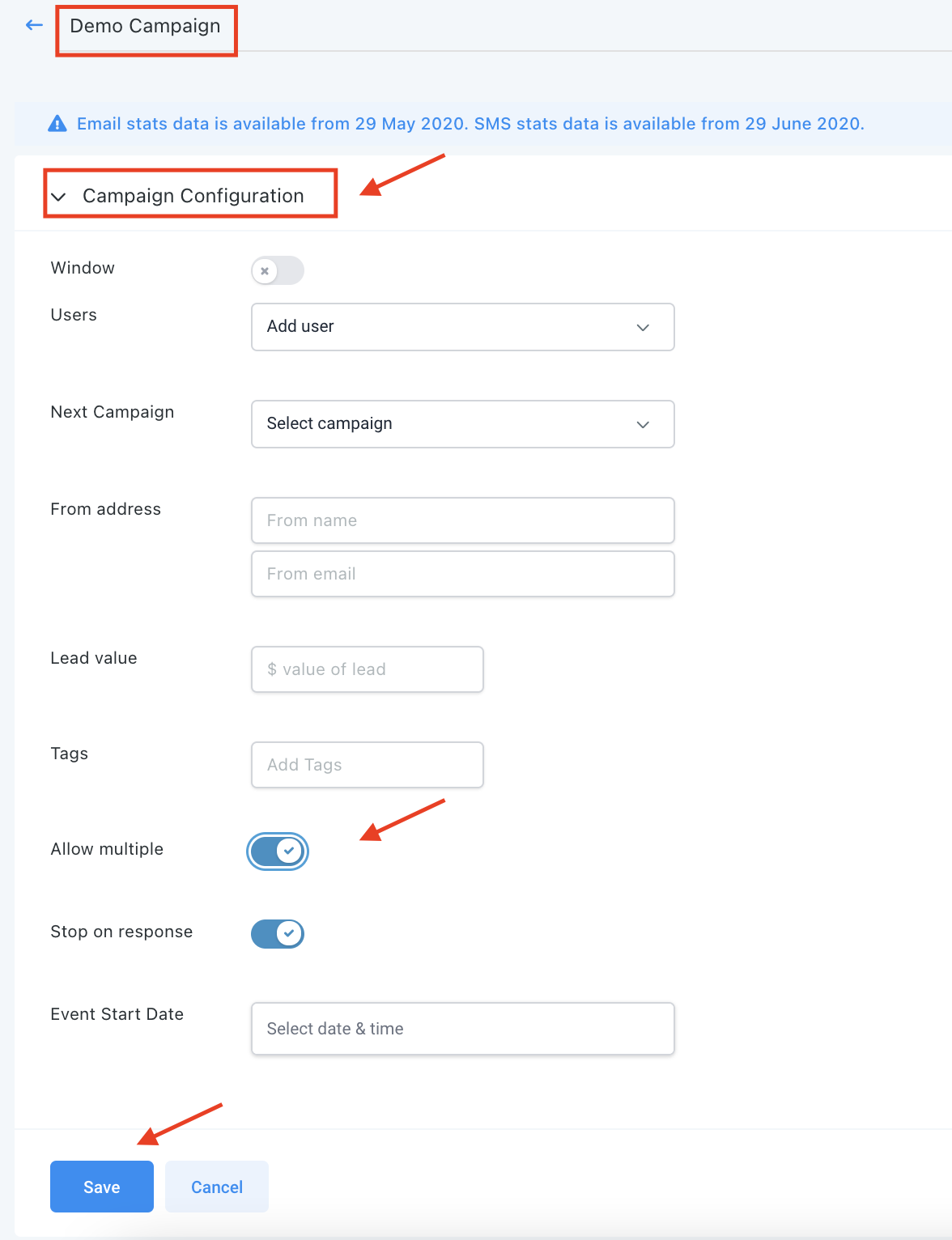
Step 2: Drop down the Campaign Configuration Menu.
- Your “Allow Multiple” button will be toggled on by default.
- You may leave it as-is for leads/contacts to be able to enter the same campaign multiple times.
- Or, toggle it off to prevent contacts from entering the campaign more than once.
The Complete Operator's Playbook
Weekly strategies from top-performing agencies
Join 5,000+ operators who get weekly tutorials, templates, and strategies that are actually working right now.
Matt @ HLPT
Founder, HL Pro Tools
Matt and his team of 250+ are known for making it easy to win with GoHighLevel. They bundle tools, trainings and team time for a complete solution. You can use them for all your HighLevel needs from white label support to done-for-you fractional marketing services.
Related Articles
How to Create and Use the Google My Business Campaign Step In HighLevel
Google My Business (GMB) Messaging is a feature that allows you to communicate with potential customers. When someone Googles a category of
Matt @ HLPTHow To Test A HighLevel Campaign
Testing a campaign is a simple way on how to check what your campaign looks like to a lead. It’s a great way to do a quality check on what y
Matt @ HLPTHow To Create A Campaign In HighLevel
Campaigns are automated sequences of events (such as emails, SMS, calls, voicemails, etc.) which will help you gather and convert more leads
Matt @ HLPT