Implementing Funnel Best Practices in HighLevel


Key Takeaways
- Creating funnels within HighLevel’s Funnel Builder works best through simplicity.
- The simpler the funnel is set up the easier it will be to convey your message, convert leads into sales, and perform regular maintenance and changes.
- Here are some best funnel practices that will help you get started.
Creating funnels within HighLevel’s Funnel Builder works best through simplicity. The simpler the funnel is set up the easier it will be to convey your message, convert leads into sales, and perform regular maintenance and changes. Here are some best funnel practices that will help you get started.
Overall Funnel Settings in HighLevel
SEO Meta Data is the key to your funnel being found! Be sure to name your funnel’s SEO Title appropriately to match your funnel and add a description. Keywords can be added to your SEO Meta Data to capture key words used during web searches.
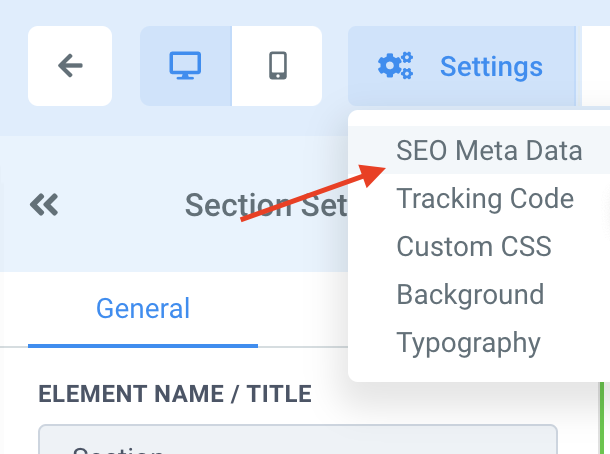
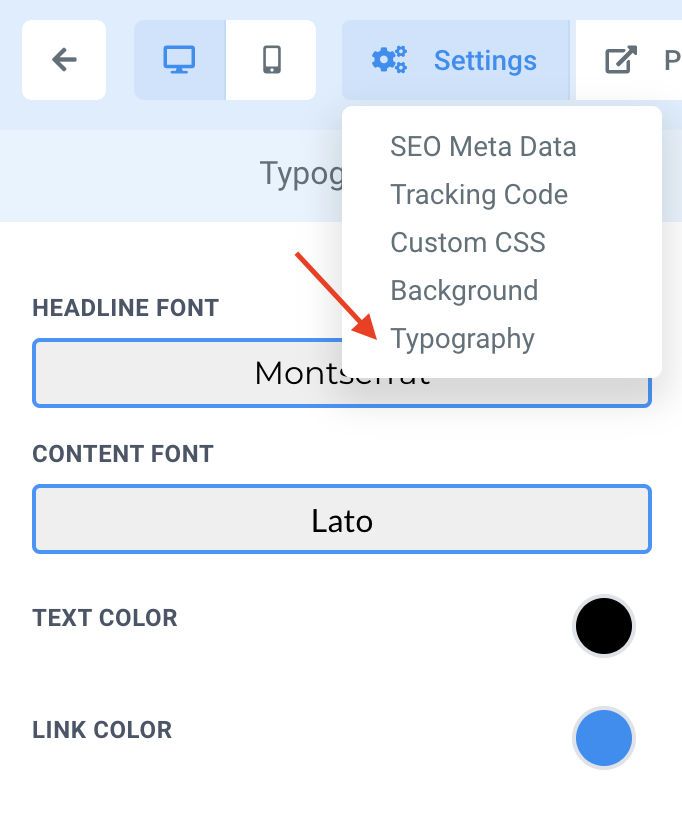
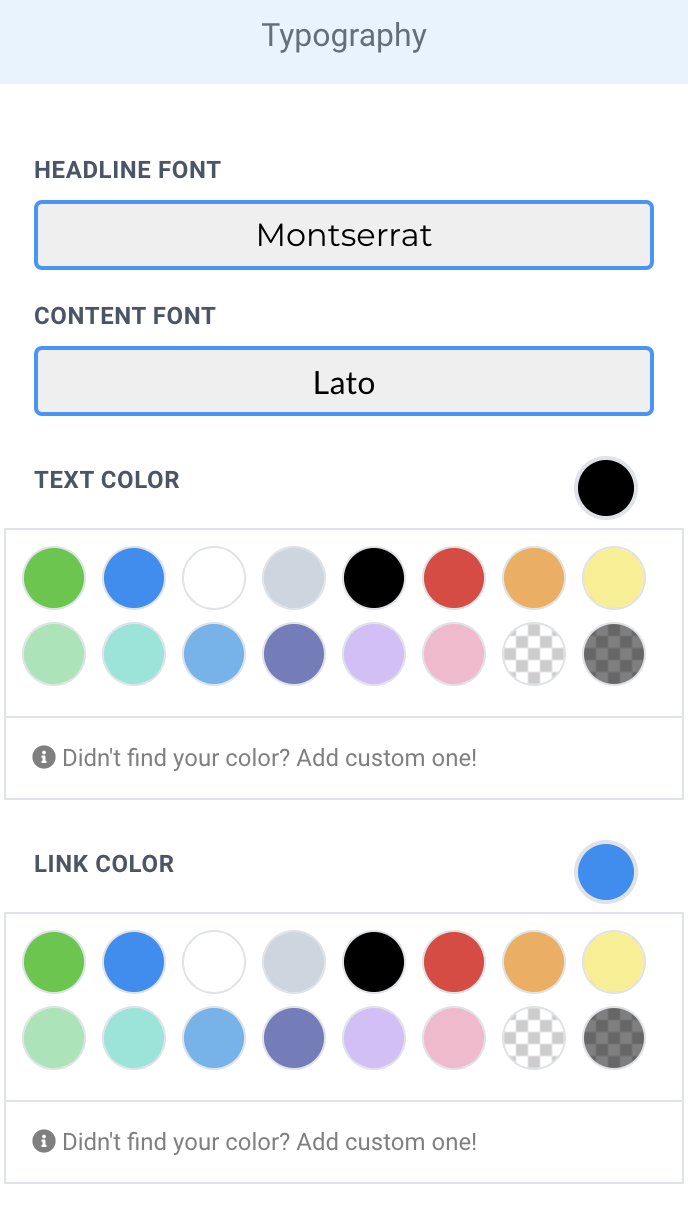
To make sure all fonts chosen are consistent throughout the funnel, use the Typography tab under the Overall Funnel Settings to choose the native Headline and Content fonts that will be used throughout the funnel.
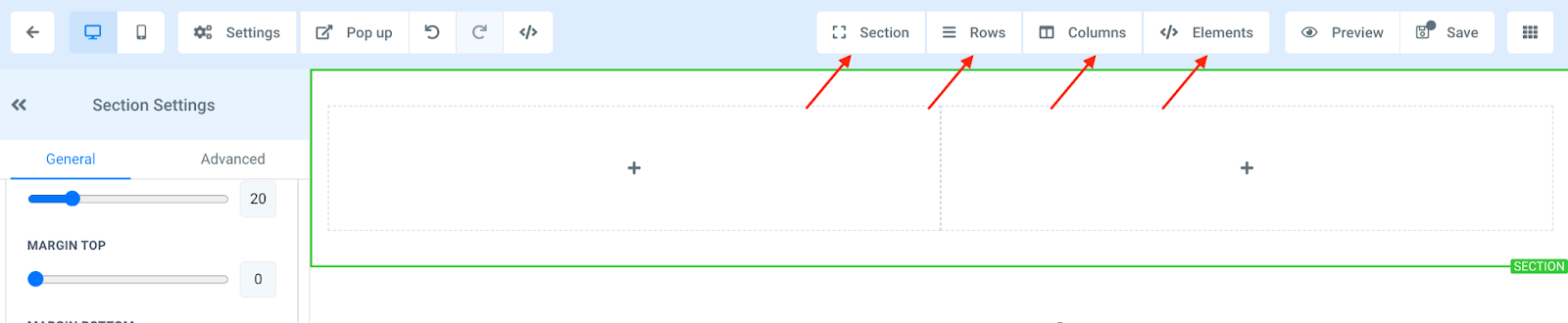
Sections
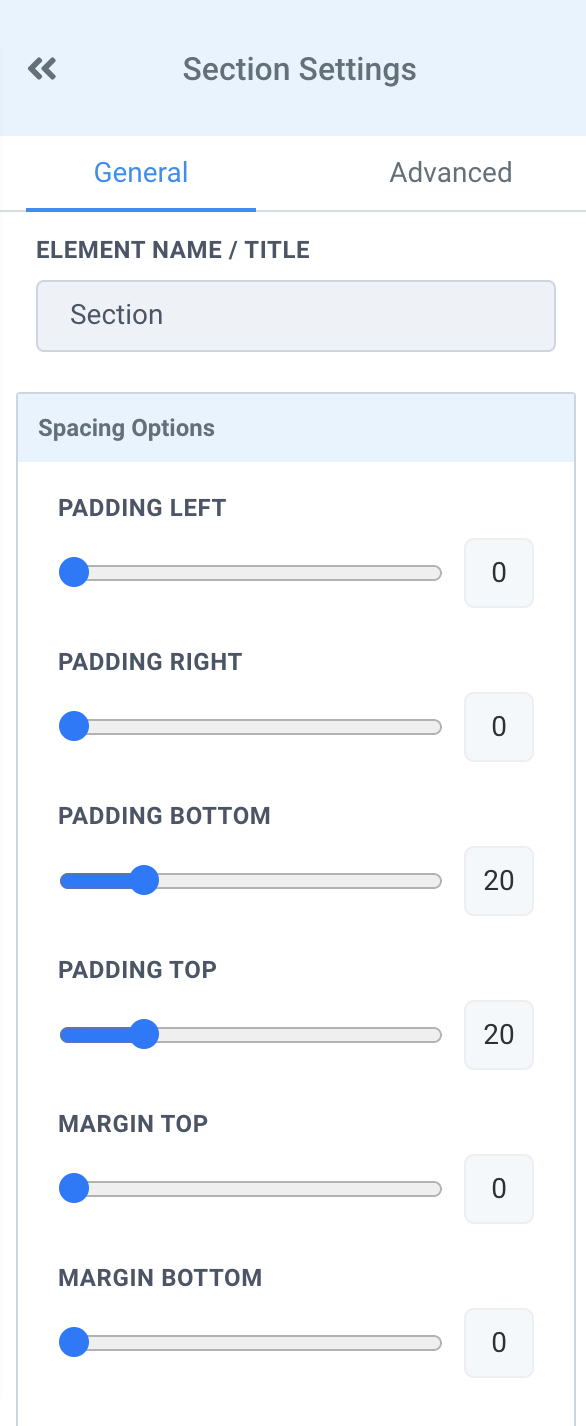
If padding and margins are being used within the section, be sure to use consistent spacing so the section is visually balanced.
Depending on the margins desired for the funnel, decide whether you would like full width for the sections or not. This setting helps have preset margins that are consistent throughout the entire funnel.
Tired of Being the Admin, the Marketer, and the Closer?
You didn't start your business to spend hours building funnels, managing calendars, and chasing follow-ups inside HighLevel. What if someone else handled all of that for you?
Our HighLevel-trained virtual assistants know the platform inside and out — workflows, pipelines, social scheduling, reporting — so you can focus on closing deals and growing your business. Starting at only $164 per week.
Rows
In some cases, there needs to be a certain amount of space in the row to accomplish your design idea. It is best to adjust the row width to increase or reduce the space of the row. This allows for the responsiveness of the row to be consistent on different screen sizes.
The row alignment can also be modified so that the row can be centered aligned, right aligned, or left aligned. This is the best option instead of using padding to move around content within the row.
Columns
The most useful settings for columns are the Column Layout Settings.
The Content Alignment of the column can be modified so that all the elements in the column stack up vertically or align horizontally.
The Content Spacing setting changes where the elements are positioned in the column (at the top, bottom, or center of the column).
Elements
The most used elements in a funnel are the copy related elements. It is very important to make sure that the correct Font Type is chosen for each copy/text element (headline, subhead line, paragraph).
Depending on the section design and layout, different text/copy alignments are needed. Be sure to use consistent text/copy alignments throughout each section so that the composition does not feel unbalanced and translates properly to the user.
To establish a visual hierarchy, make sure the appropriate font size is chosen for all headlines, subhead lines, and paragraph copy (for both desktop and mobile view). If incorrect font sizes are used, it can make the text/copy unreadable and/or translate differently than what was intended.
The Complete Operator's Playbook
Weekly strategies from top-performing agencies
Join 5,000+ operators who get weekly tutorials, templates, and strategies that are actually working right now.
Matt @ HLPT
Founder, HL Pro Tools
Matt and his team of 250+ are known for making it easy to win with GoHighLevel. They bundle tools, trainings and team time for a complete solution. You can use them for all your HighLevel needs from white label support to done-for-you fractional marketing services.
Related Articles
HighLevel Funnels 101: The Complete Guide to Building and Launching Your First Funnel
Learn how to build and launch funnels in HighLevel. This complete guide covers funnel templates, page editing, domain setup, form integratio
Matt @ HLPTCustomizing Funnel and Website Colors in HighLevel
Within HighLevel’s funnel or website builder, you can completely customize each step, including colors, fonts, and more. Follow these steps
Matt @ HLPTConverting Funnel Steps and Website Pages Within HighLevel
If you want to convert or import a funnel or website page into a new funnel or website you are building in HighLevel, you can do so using th
Matt @ HLPT