Membership Triggers Overview for HighLevel’s Workflow Builder


Key Takeaways
- The membership triggers within HighLevel’s Workflows allow you to automate features using “if, then” scenarios so that “if” something occurs, “then” one or more action is triggered to occur.
- We have several tutorials that provide great overviews on the concept of triggers, as well as Workflows, so check them out to learn more if you need an overview of each.
The membership triggers within HighLevel’s Workflows allow you to automate features using “if, then” scenarios so that “if” something occurs, “then” one or more action is triggered to occur. We have several tutorials that provide great overviews on the concept of triggers, as well as Workflows, so check them out to learn more if you need an overview of each!
In this article specifically, we will focus on the membership triggers within HighLevel’s Workflow builder .
Step 1: What are the Membership Trigger Options?
- Category Completed: runs when a category of specified product gets completed
- Membership New Signup: a customer/lead subscribed for a membership
- This will provide both email AND password, only on the initial sign-up.
- Offer Access Granted: runs when access to offer is granted
- Offer Access Removed:runs when access to offer is removed
- Product Access Granted: runs when access to product is granted
- Product Access Removed: runs when access to product is removed Product Completed: runs when product is completed
- User Login: runs when user logs in to membership
Step 2: How To Use the Membership Triggers
Tired of Being the Admin, the Marketer, and the Closer?
You didn't start your business to spend hours building funnels, managing calendars, and chasing follow-ups inside HighLevel. What if someone else handled all of that for you?
Our HighLevel-trained virtual assistants know the platform inside and out — workflows, pipelines, social scheduling, reporting — so you can focus on closing deals and growing your business. Starting at only $164 per week.
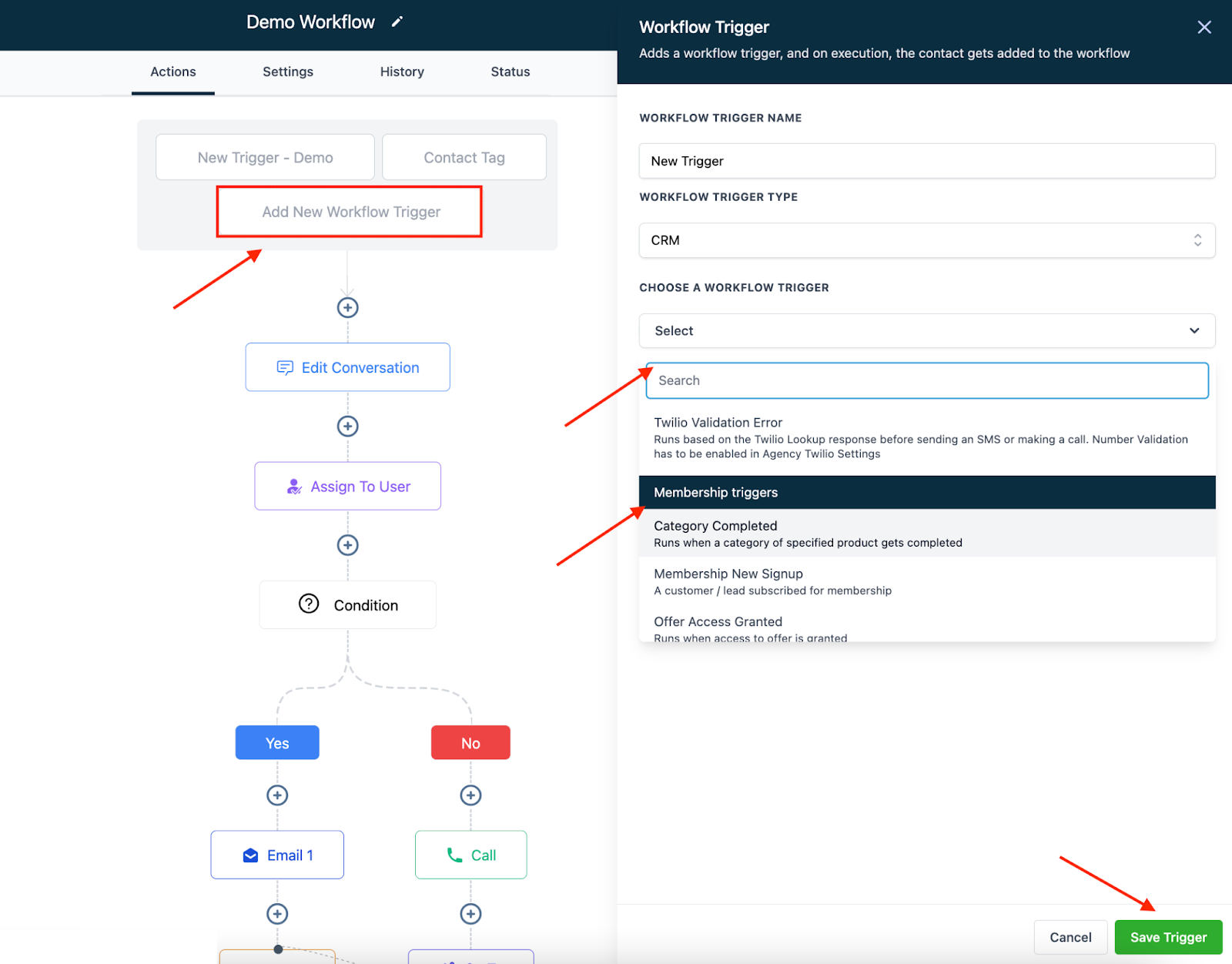
- Navigate into a Workflow.
- Click “Add New Workflow Trigger” at the top.
- In the popup on the right, name your Workflow Trigger (optional).
- Choose a Workflow Trigger from the dropdown (scroll towards the bottom of the list for Membership Triggers).
- Click “Save Trigger” to add the trigger to your Workflow.
Pro Tips:
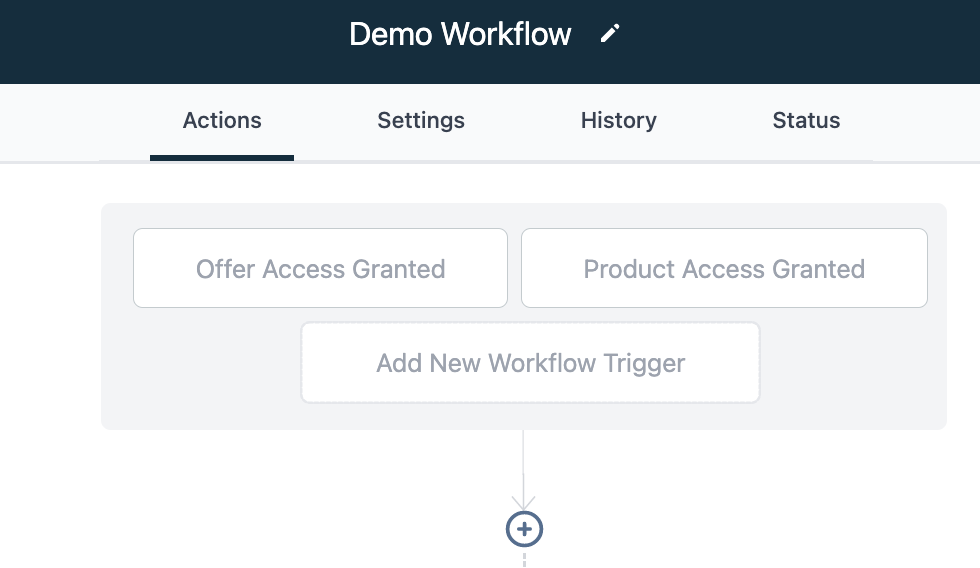
- In Workflows, you can have several triggering events set to fire off the same series of actions. Perhaps you want one Workflow to run when an Offer Access is granted or a Product Access is granted. Both triggers can be used in the same workflow.
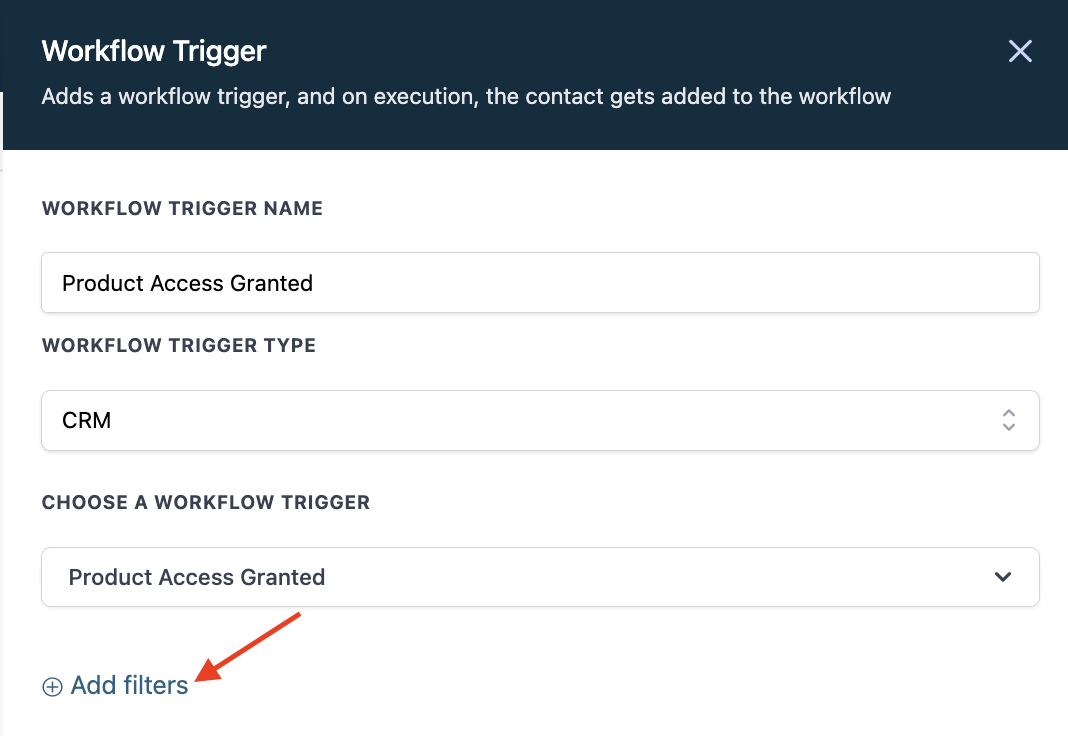
- You can add filters to the Workflow triggers to add further specification for how they operate. When adding a Workflow Trigger, click “Add filters” and choose one or more. (In the example below, we filtered out a specific product so the Workflow would run when a specific product access is granted. Without this specification of a particular product, the trigger would run for any product access granted.)
The Complete Operator's Playbook
Weekly strategies from top-performing agencies
Join 5,000+ operators who get weekly tutorials, templates, and strategies that are actually working right now.
Matt @ HLPT
Founder, HL Pro Tools
Matt and his team of 250+ are known for making it easy to win with GoHighLevel. They bundle tools, trainings and team time for a complete solution. You can use them for all your HighLevel needs from white label support to done-for-you fractional marketing services.
Related Articles
HighLevel Automated Follow-Up 101: The Complete Guide to Automatic Email and SMS Sequences
Learn how to set up automatic email and SMS follow-up in HighLevel. This complete guide covers workflow triggers, actions, timing, templates
Matt @ HLPTLoop Lockouts
Sometimes you may have a loop created in HighLevel accidentally when two actions are set to feed into one another, or feed back into itself
Matt @ HLPTCustomizing Delivery Timeframes Within HighLevel Workflows
There are multiple options for setting up the timing of HighLevel workflows. In this tutorial, we will show you how to use time frames, or “
Matt @ HLPT