Checking Email Statistics in HighLevel


This tutorial will show you how to check email stats for sent and scheduled emails in HighLevel.
- Navigate to HighLevel’s Email section.
- Choose “Email Campaigns”.
- Click the Actions dropdown menu and select “Statistics”
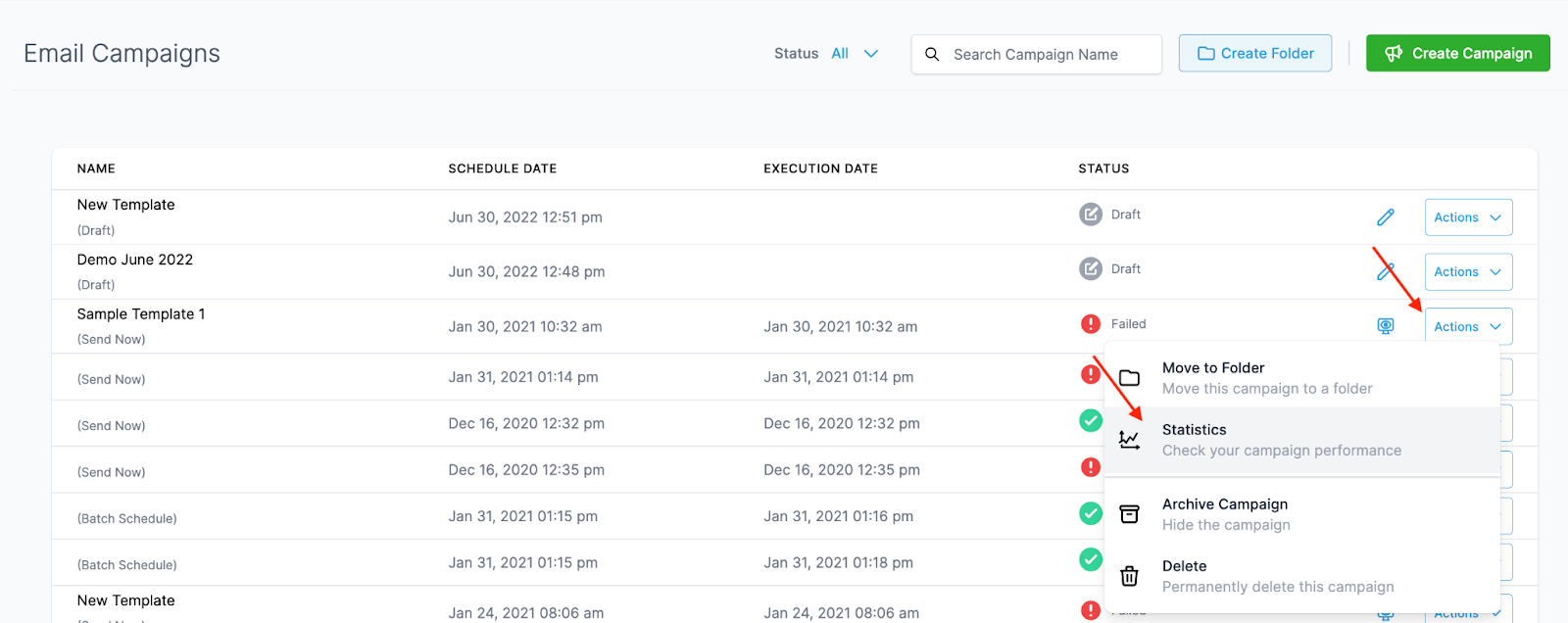
- In the popup window on the right hand side, you’ll be able to view all the Statistics for that email.
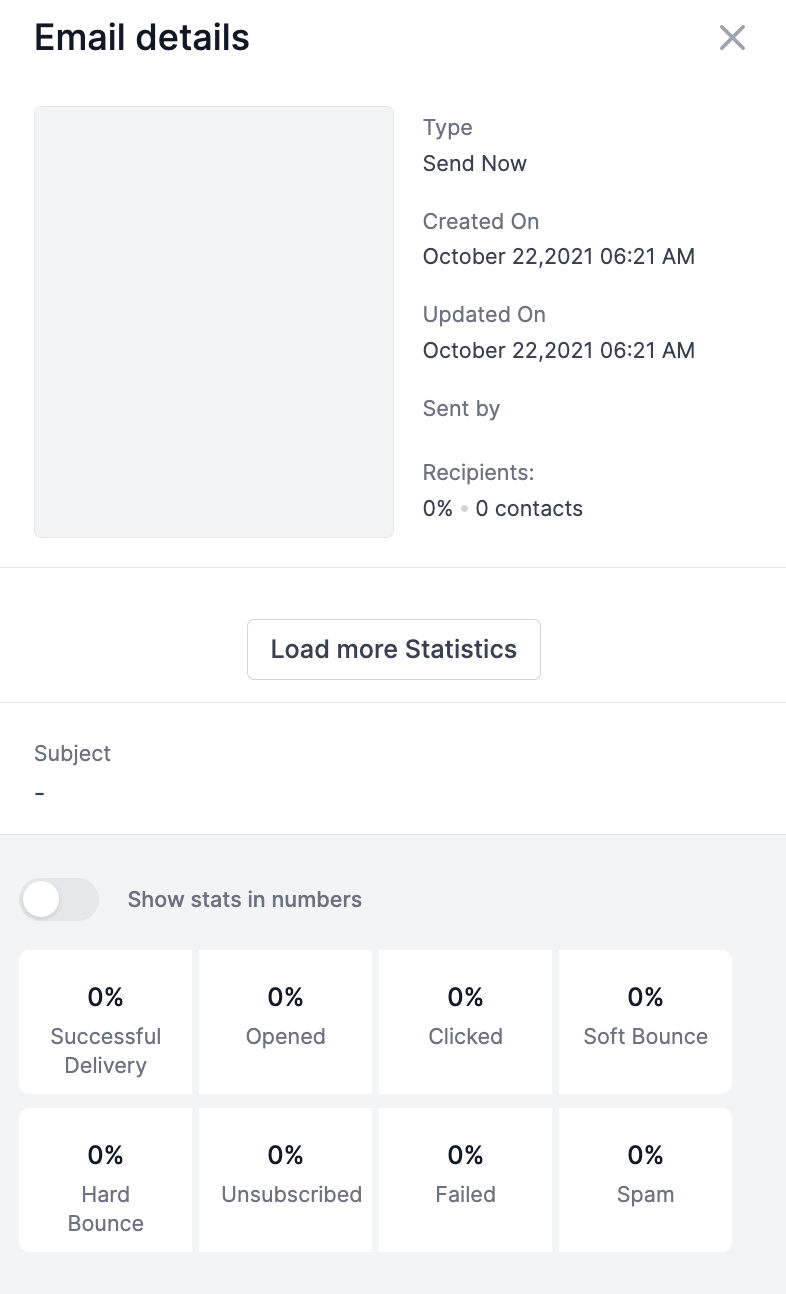
Click “Load more Statistics” to open a popup window that displays detailed information on specific contact records and their status as opened, clicked, failed, etc.
The Complete Operator's Playbook
Weekly strategies from top-performing agencies
Join 5,000+ operators who get weekly tutorials, templates, and strategies that are actually working right now.
Matt @ HLPT
Founder, HL Pro Tools
Matt and his team of 250+ are known for making it easy to win with GoHighLevel. They bundle tools, trainings and team time for a complete solution. You can use them for all your HighLevel needs from white label support to done-for-you fractional marketing services.
Related Articles
HighLevel Email Campaigns 101: The Complete Guide to Creating and Sending Email Campaigns
Learn how to create and send email campaigns in HighLevel. This complete guide covers campaign setup, email builder, templates, audience tar
Matt @ HLPTHow To Differentiate Between Basic and Custom for RSS Headers and Items in HighLevel’s Email Builder
Within HighLevel’s Email Builder, you may be using the RSS Header or RSS Item elements to automatically update information across sites. The
Matt @ HLPTHow to Connect SendGrid as your SMTP Service in HighLevel
If you are using SendGrid for emails, you can connect your account to HighLevel to integrate it and send emails directly through HighLevel.
Matt @ HLPT