How To Use The Manual SMS Event in HighLevel Campaigns


Key Takeaways
- The Manual SMS Event within a campaign creates a manual task for the user to send a custom SMS to the associated lead.
- This allows the user to respond to the lead at the time that best works for them.
The Manual SMS Event within a campaign creates a manual task for the user to send a custom SMS to the associated lead. This allows the user to respond to the lead at the time that best works for them.
Part 1: Navigate to the Existing Campaign or Create a new one

Step 1: Click “create an event” and choose “Manual SMS”
Step 2: Save and Publish the event.
Part 2: To ensure that the proper user receives the Manual SMS task, you can assign a user. This can be done through a trigger or at the campaign level. (To assign through a trigger, see our articles on triggers.) To assign through a campaign, see the steps below.
Tired of Being the Admin, the Marketer, and the Closer?
You didn't start your business to spend hours building funnels, managing calendars, and chasing follow-ups inside HighLevel. What if someone else handled all of that for you?
Our HighLevel-trained virtual assistants know the platform inside and out — workflows, pipelines, social scheduling, reporting — so you can focus on closing deals and growing your business. Starting at only $164 per week.
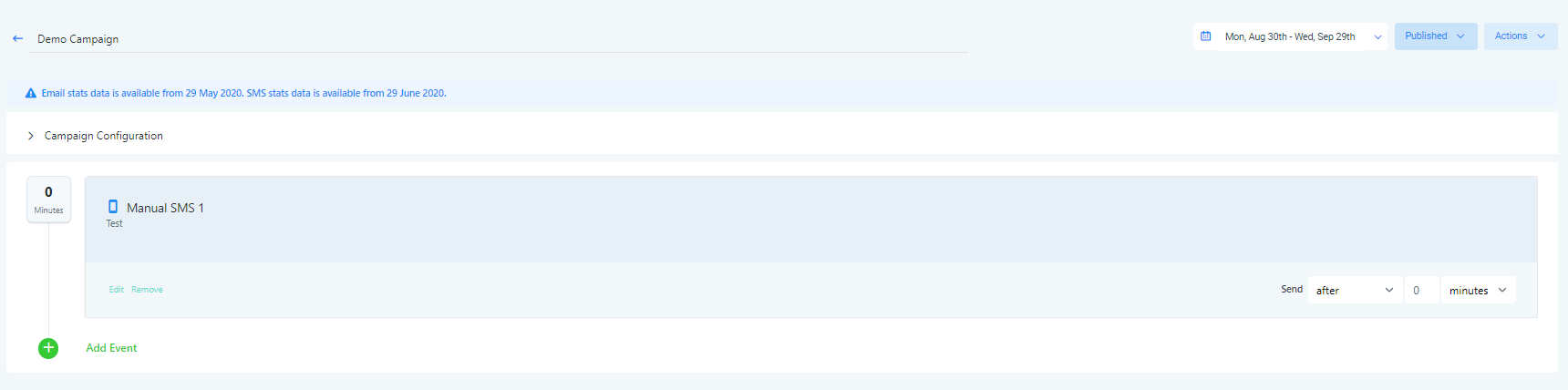
Step 1: Navigate to campaign configuration > click “Assign User” and Save.
Part 3: To test the campaign and Manual SMS event, use a sample/test contact (check out our other “test” tutorials on how to create a test contact record for yourself.)

Step 1: Add your test contact to the campaign.
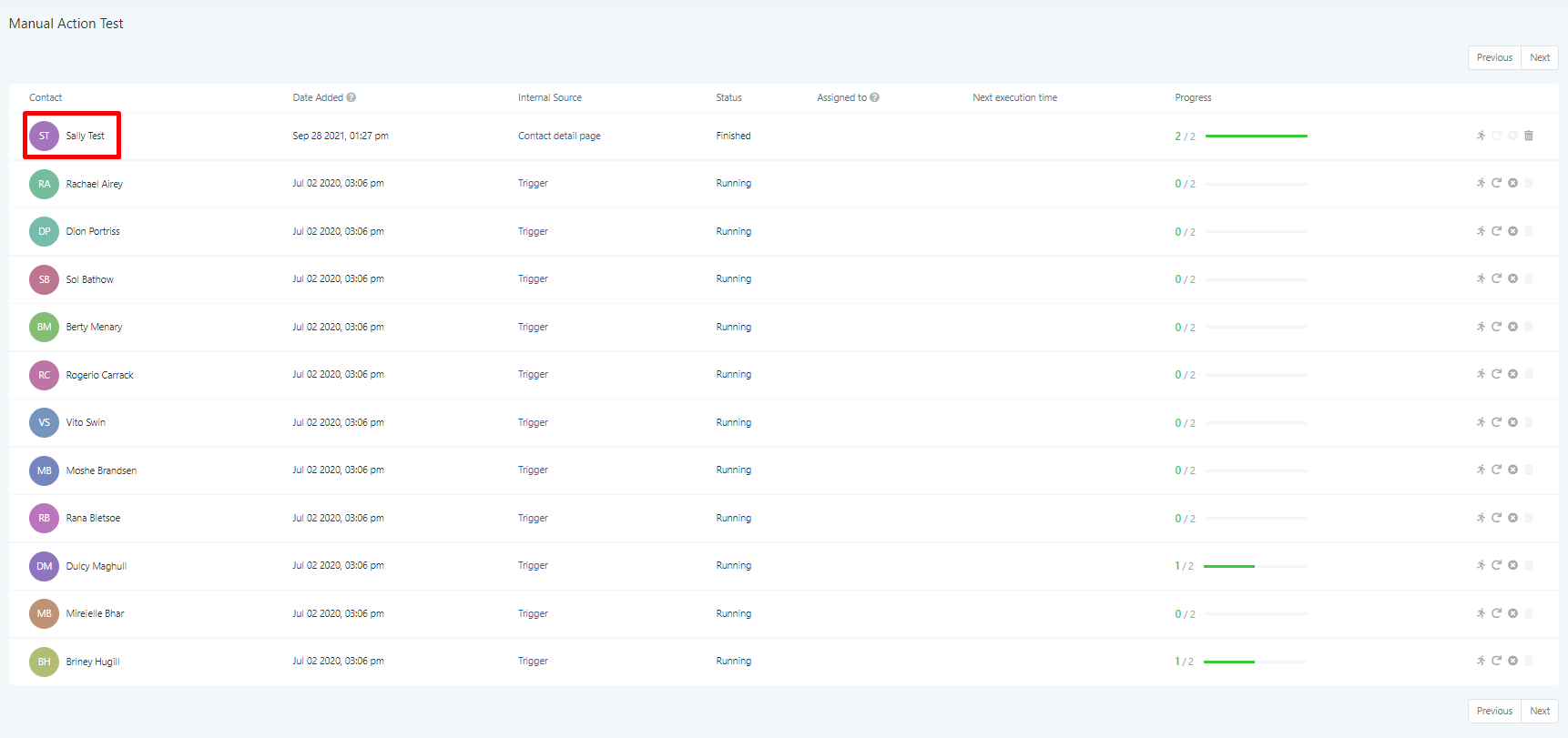
Step 2: To check your “Manual SMS”, go to Manual Actions and ensure you see the Manual SMS task that the campaign created.
Step 3: Then hit “Let’s Start”, type your message, and hit send.
The Complete Operator's Playbook
Weekly strategies from top-performing agencies
Join 5,000+ operators who get weekly tutorials, templates, and strategies that are actually working right now.
Matt @ HLPT
Founder, HL Pro Tools
Matt and his team of 250+ are known for making it easy to win with GoHighLevel. They bundle tools, trainings and team time for a complete solution. You can use them for all your HighLevel needs from white label support to done-for-you fractional marketing services.
Related Articles
How to Create and Use the Google My Business Campaign Step In HighLevel
Google My Business (GMB) Messaging is a feature that allows you to communicate with potential customers. When someone Googles a category of
Matt @ HLPTHow To Enable or Disable the “Allow Multiple” feature in HighLevel Campaigns
The “Allow Multiple” feature ensures that a lead or contact either can or cannot enter the same campaign multiple times. This setting can be
Matt @ HLPTHow To Test A HighLevel Campaign
Testing a campaign is a simple way on how to check what your campaign looks like to a lead. It’s a great way to do a quality check on what y
Matt @ HLPT