Using the Contact Changed Workflow Trigger in HighLevel


Key Takeaways
- Within HighLevel’s Workflow builder, the “Contact Changed” workflow trigger allows you to automate actions when a contact record is modified.
- You can trigger events in a Workflow when a contact record is changed based on the following items within HighLevel:.
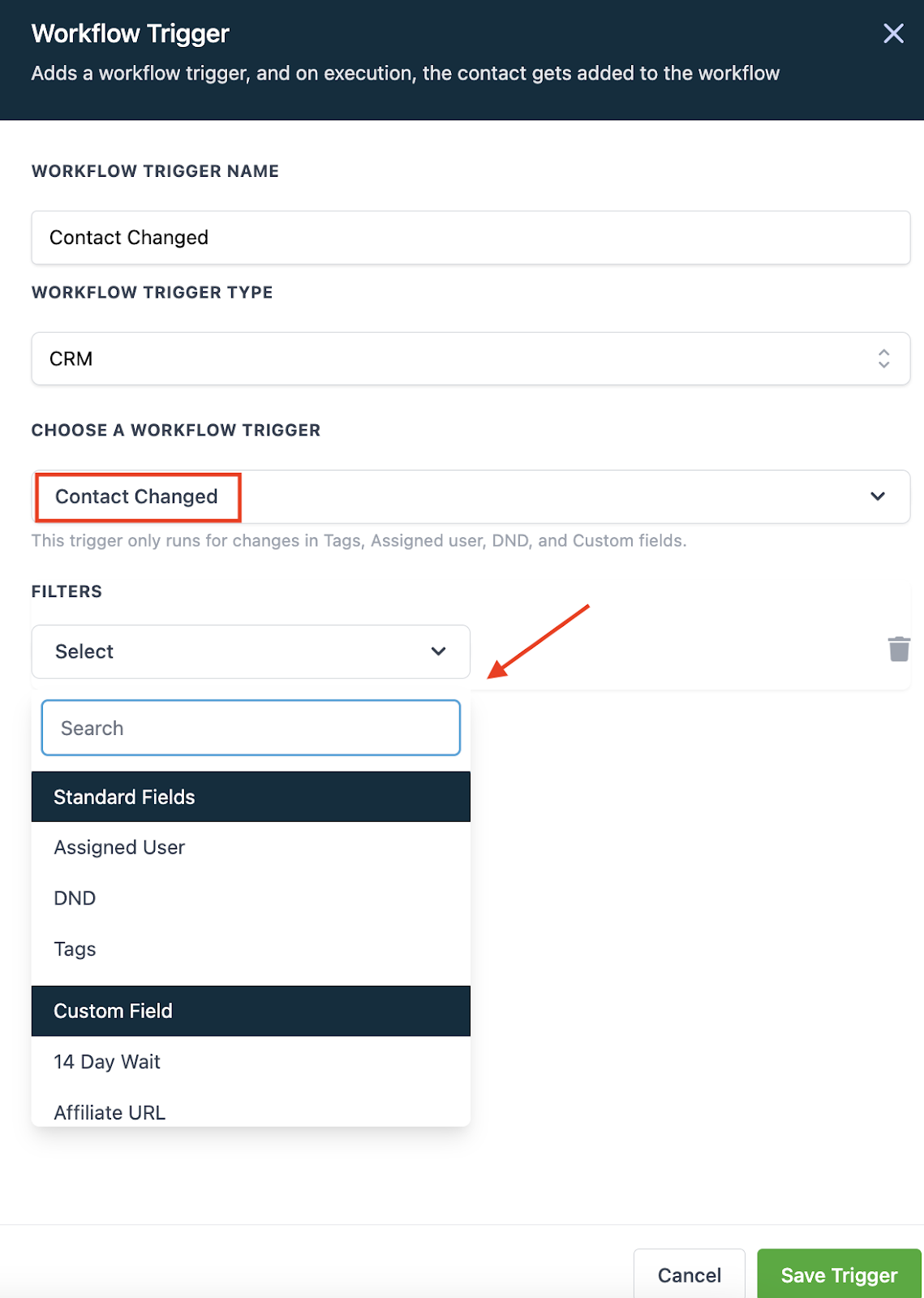
Within HighLevel’s Workflow builder, the “Contact Changed” workflow trigger allows you to automate actions when a contact record is modified. You can trigger events in a Workflow when a contact record is changed based on the following items within HighLevel:
- Tags being added
- Tags being removed
- DND being activated or removed
- Contact being assigned to a user, or reassigned to a user
- Custom field being populated
- Custom field changing to something specific
Follow these simple steps to use this Workflow Trigger:
- In the Workflow, click to add a Trigger.
- Choose “Contact Changed” as the Workflow Trigger.
- Select a filter from the dropdown menu.
- Save Trigger to add to the Workflow.
The Complete Operator's Playbook
Weekly strategies from top-performing agencies
Join 5,000+ operators who get weekly tutorials, templates, and strategies that are actually working right now.
Matt @ HLPT
Founder, HL Pro Tools
Matt and his team of 250+ are known for making it easy to win with GoHighLevel. They bundle tools, trainings and team time for a complete solution. You can use them for all your HighLevel needs from white label support to done-for-you fractional marketing services.
Related Articles
HighLevel Automated Follow-Up 101: The Complete Guide to Automatic Email and SMS Sequences
Learn how to set up automatic email and SMS follow-up in HighLevel. This complete guide covers workflow triggers, actions, timing, templates
Matt @ HLPTLoop Lockouts
Sometimes you may have a loop created in HighLevel accidentally when two actions are set to feed into one another, or feed back into itself
Matt @ HLPTMembership Triggers Overview for HighLevel’s Workflow Builder
The membership triggers within HighLevel’s Workflows allow you to automate features using “if, then” scenarios so that “if” something occurs
Matt @ HLPT