WordPress Plugin For The HighLevel Chat Widget


If you’re using WordPress, check out these simple steps to download and use the WordPress plugin for your chat widget:
Step 1: Set up your Webchat widget
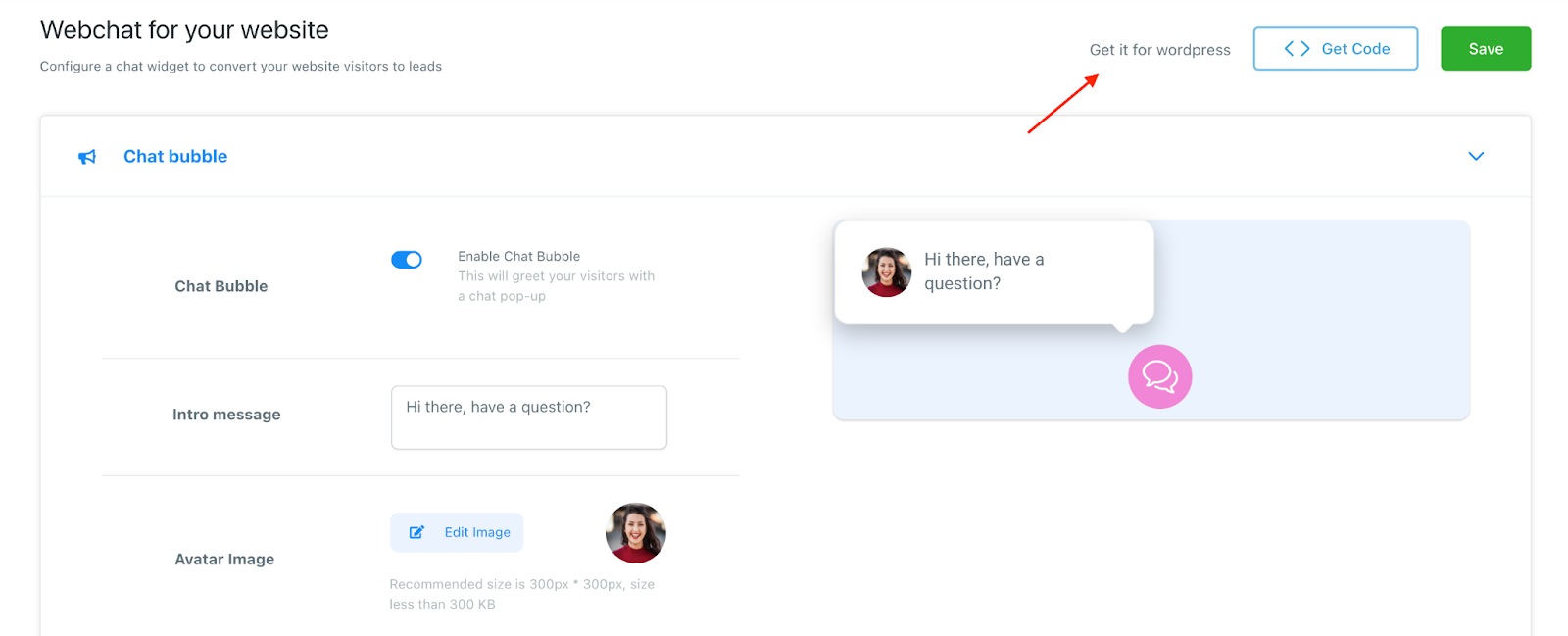
- Navigate to Sites > Chat Widget
- Create your chat widget and customize any features you wish.
Step 2: Download and Install the WordPress Plugin
- Click “Get it for WordPress”
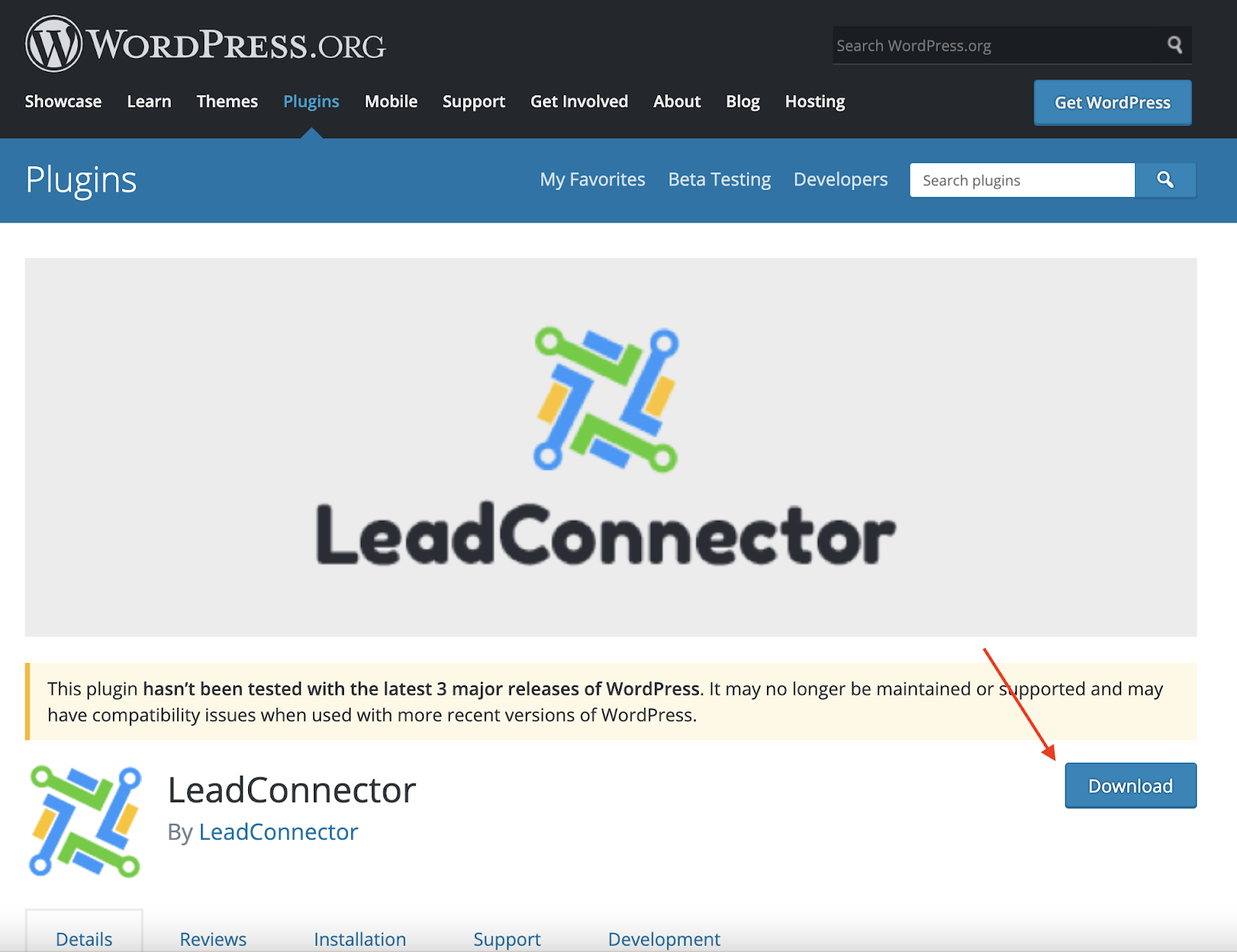
- You’ll be redirected to WordPress and you will want to download the “LeadConnector” plugin.
Tired of Being the Admin, the Marketer, and the Closer?
You didn't start your business to spend hours building funnels, managing calendars, and chasing follow-ups inside HighLevel. What if someone else handled all of that for you?
Our HighLevel-trained virtual assistants know the platform inside and out — workflows, pipelines, social scheduling, reporting — so you can focus on closing deals and growing your business. Starting at only $164 per week.
- Once installed, you can access LeadConnector from your WordPress dashboard menu.
- You’ll need to add your API key from HighLevel.
- Navigate to Settings > Business Info > Company Data and copy the API key.
- Paste it into the API key under your LeadConnector widget settings in your WordPress dashboard.

- Click “Pull and Save” to save the changes and add the widget to your WordPress site.
Step 3: Retrieve any Updates using the WordPress Plugin
- Within HighLevel, if you make any changes to your chat widget, you’ll need to pull them through to WordPress.
- In your WordPress dashboard, navigate to the LeadConnector tab and click “Pull Any Updates” to retrieve updates from the system.
NOTE: If you already have the WordPress plugin installed, you may need to uninstall and reinstall the plugin in order for the most updated version to run. Here’s how to remove and reinstall the plugin:
- Navigate to the WordPress Dashboard > Plugins
- Under “Active”, deactivate LeadConnector
- Go to the “Inactive” tab and click Delete to remove LeadConnector.
- Then, follow the steps above to reinstall it.

The Complete Operator's Playbook
Weekly strategies from top-performing agencies
Join 5,000+ operators who get weekly tutorials, templates, and strategies that are actually working right now.
Matt @ HLPT
Founder, HL Pro Tools
Matt and his team of 250+ are known for making it easy to win with GoHighLevel. They bundle tools, trainings and team time for a complete solution. You can use them for all your HighLevel needs from white label support to done-for-you fractional marketing services.
Related Articles
How to Integrate WooCommerce with HighLevel in Less Than 3 Minutes
A LOT of people ask me: “Hey, I want to try HighLevel, but my entire store is in WooCommerce, and I don’t want to waste time moving everythi
Matt @ HLPTHow To Integrate A Stripe Account Into HighLevel
Connecting a Stripe account will allow you to configure products in funnels, send a ‘text 2 pay’ link in a SMS message, and more, in order t
Matt @ HLPTMapping Facebook Form Fields In HighLevel
When you’re running Facebook lead ad forms, you want to ensure the Facebook form fields are mapped correctly to merge into HighLevel. Step 1
Matt @ HLPT